


Third Grade Learning Games
3.91.95K Reviews
App Specs
- Version
- 7.3.1
- Updated On
- License
- Free
- Downloads
- 1,000,000+
- Developer
- RosiMosi LLC
- Categories
- Educational
- Platform
- Android
Screenshots

 Analysis by AppCompare
I judge a learning game less by how many activities it promises than by whether a child can return to a skill without feeling as if they have been handed another worksheet. That is the appeal of Third Grade Learning Games: it gives practice a playful frame, which can make a short session easier to start. I’d treat it as a companion to schoolwork, not a substitute for a teacher, a book, or an adult talking through a difficult idea.
A broad set of practice, with play as the main tool
Made by RosiMosi LLC, this free educational game is aimed at children around third-grade age. Its central idea is variety: instead of asking a child to work through one long lesson, it offers different activities across school subjects. That matters when attention is running low. A child who is reluctant to do another page of arithmetic may be more willing to try a quick game, then switch to a language activity when the first task starts to feel repetitive.
The game has been available since May 3, 2013, and its current version is 7.3.1. It has a 3.9 average from around 8,600 ratings, with about 1,900 written reviews and over one million installs. Those figures suggest that it has reached many families, but they don’t tell me whether a particular activity matches a child’s classwork. I’d use the subject coverage as a reason to explore, then check whether the actual questions suit the learner.
How I’d use the activities at home
With a third-grader, I’d keep sessions brief and give them a purpose. For example, after a class has introduced multiplication, a child can use a game as a low-pressure way to revisit the idea. I would ask them to explain one answer afterward, rather than treating a completed round as proof that they have mastered the topic. The game can help make practice inviting; conversation is still useful for finding out whether the reasoning has stuck.
A practical routine is to let the child choose the subject, but set a small goal together before they begin: practise a few problems, review a word pattern, or explore a topic they have just met at school. Choice gives the child some ownership, while the goal keeps the session from turning into aimless tapping. If they get frustrated, I’d pause rather than use the reward loop to push them through work they don’t understand.
What the subject mix is good for
The appeal of having math, language arts, science, and history in one place is convenience. A parent does not need to switch between several separate study tools just to offer a change of pace. The trade-off is that a broad collection is not necessarily the best answer for a child who needs concentrated help with one specific gap. If fractions are causing persistent confusion, for instance, a focused lesson with worked examples and adult guidance may be more useful than hopping between unrelated activities.
That distinction is worth keeping in mind because games can make repetition feel lighter without automatically explaining every mistake in depth. When a child answers incorrectly, I’d check whether they understand why, rather than assuming the next attempt will make the concept clear. For vocabulary or basic recall, repeated play can be a handy nudge; for a more complicated idea, a parent or teacher may need to fill in the explanation.
Worth Reading Before You Choose

EA SPORTS FC Mobile 26 Is a Bigger Football Game, but It Takes Time

Flipboard Shows What News Apps Must Do Beyond the Feed

Switching to Android Auto Means Rethinking Your Driving Routine

Google Calendar Makes a Crowded Week Easier to Manage

Ludo King Makes the Most of the Minutes Between Plans

Baby Panda World Brings Quick Play to Modern Phones, but Its Game Library Feels Busy
A child-friendly format, with adult judgement still needed
The simple navigation and direct instructions are suited to children who can follow an activity on their own, though younger or less confident users may still benefit from an adult nearby at first. I’d let a child try choosing a game independently, then check in after a round to hear what they found easy or confusing. That gives them room to explore without leaving the learning entirely to the screen.
The game is rated for Everyone, but that age label is not the same thing as a guarantee that every family will find the experience ideal. It is free to start, with in-app purchases ranging from $4.99 to $39.99 per item. I’d review purchase settings with a child before handing over a device, especially if they can navigate the app without help. The paid options may affect whether it remains a no-cost choice for your household, so it is sensible to check what is available before making it part of a regular routine.
Where it fits beside school and other learning apps
Compared with a workbook, this game is more playful and may be easier to offer when a child needs a change from paper practice. Compared with a dedicated tutoring or subject-learning app, its wider spread of activities is convenient but less suited to a single persistent difficulty. I’d choose it for light review and variety, not as the only resource for catching up or preparing for a specific assessment. A printed exercise, a library book, or a teacher’s explanation can be the better next step when a child needs time to work through a problem slowly.
For families, the useful question is not simply whether a child enjoys it, but whether the game leads to a skill they can use away from the screen. After a session, invite them to show a multiplication strategy on paper, use a newly practised word in a sentence, or describe a science idea in their own words. If they can do that, the activity has become a starting point for learning rather than just a way to pass time.
What’s Inside the App?
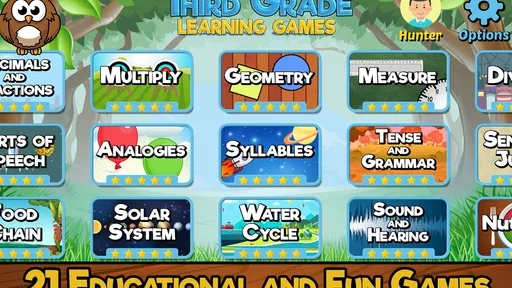
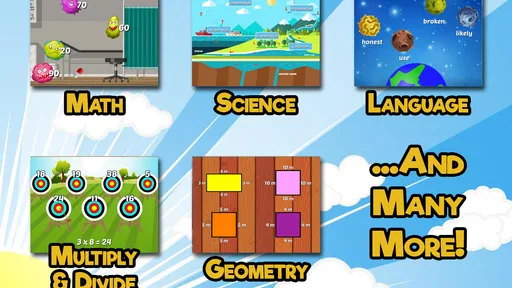
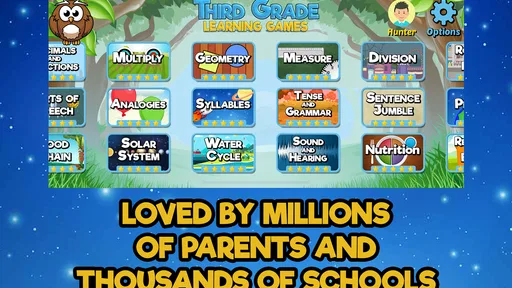
So, what do you get with Third Grade Learning Games? Well, it’s a mix of everything a third-grader might need. The app is cleverly divided into different sections covering math, language arts, science, and even a bit of history. It’s like having a mini-classroom in your pocket, only way more exciting!
Math: Making Numbers Fun
Let’s start with the math section. It's got everything from multiplication to fractions, and the best part? Each concept is presented as a game. Remember the times tables you had to memorize? Here, they become a challenge where kids can earn points and rewards. It's all about making numbers less intimidating and more like a friendly puzzle.
Language Arts: Words That Wow
Moving on to language arts, the app turns spelling and grammar into interactive activities. Kids get to play with word puzzles, matching games, and even storytelling. It's a brilliant way to encourage reading and writing skills without making it feel like a chore. The vocabulary builder is a personal favorite – who knew learning new words could be so captivating?
Science and History: Discover the World
Now, onto science and history, where curiosity meets creativity. The science games are full of experiments and quizzes that make concepts like the water cycle and ecosystems come alive. History is explored through fun facts and timelines, making it easy for kids to grasp the bigger picture of the past. It’s all about sparking that interest in the world around them.
User Experience: Simple and Engaging
In terms of user experience, the app is incredibly intuitive. The design is colorful and engaging, perfect for capturing the attention of young minds. Navigation is smooth, and the instructions are straightforward, so kids can easily figure out what to do next. Plus, there's a reward system that keeps them motivated to explore more.
Learning Through Play
One of the standout features of this app is how it seamlessly blends education with entertainment. It’s designed to keep kids engaged without them realizing they're learning. The use of games to teach concepts is a stroke of genius, as it helps in reinforcing what they learn at school in a relaxed environment.
Parental Controls and Feedback
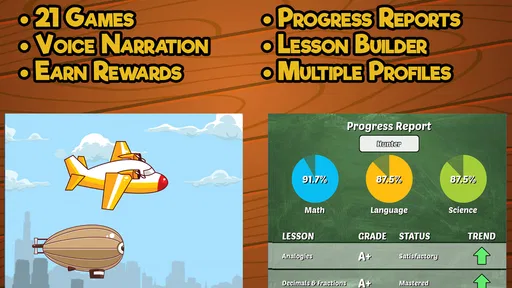
For parents, the app offers a dashboard to track progress, which is a fantastic feature. You can see which areas your child excels in and where they might need a bit more practice. It’s like having a report card at your fingertips, allowing you to tailor your child’s learning experience.
Making progress useful beyond the screen
I’d use the progress view as a conversation starter, not as a complete assessment. If it points to an area where a child is doing well, ask them to demonstrate the skill in a different way: write a few examples, explain a word, or describe an idea aloud. If it highlights a weaker area, sit with them for one activity and watch how they approach it. That can reveal whether the issue is uncertainty about the subject, rushing, or simply needing more practice.
This also helps avoid a common trap with educational games: equating time spent with learning gained. A child may enjoy a sequence and still need help transferring the idea to classwork. I’d alternate screen practice with a small offline task, particularly for math and writing. The aim is not to turn every game into homework, but to make it easier to notice which skills are carrying over and which ones need a different kind of explanation.
Choosing a good moment for a session
A realistic use is a short stretch after school, while a parent is preparing dinner and a child wants something more engaging than another worksheet. I’d first ask what they covered that day, then let them pick a related activity if one appeals. Afterward, a quick question such as “What was the tricky part?” gives the child a chance to reflect without making the session feel like a test. If they are tired or upset, I’d save it for another time; rewards can encourage participation, but they cannot make a poor moment productive.
For a weekend, the same collection can work as a flexible choice during a quiet break, especially when siblings have different interests. The parent’s role is to set a reasonable boundary and make sure the activity stays connected to learning rather than becoming an unlimited screen-time substitute. I would not rely on it to keep a child occupied for a long stretch while expecting steady academic progress. Its stronger use is as a manageable prompt for practice, followed by a break or another kind of activity.
Who is likely to get the most from it?
I think it makes the most sense for a child who is broadly comfortable with third-grade work but benefits from variety and encouragement to revisit familiar topics. It can also suit a parent looking for one place to offer a mix of academic activities without planning a lesson from scratch. A child who likes choosing between subjects may respond better than one who wants a fixed, step-by-step course.
I’d be more cautious if a learner is significantly behind in one subject, needs carefully sequenced instruction, or becomes distracted by points and rewards. In those situations, a teacher, a targeted learning resource, or calm one-to-one practice is likely to be more effective. It may also be a poor fit for a family that wants a completely free experience, given the in-app purchases, or for a child who needs a screen-free routine. Being clear about those limits makes it easier to use the game for what it does well without expecting it to solve every learning need.
My recommendation
Overall, Third Grade Learning Games is an app that I’d recommend to a parent or educator who wants a playful way to support everyday review, provided an adult stays involved in choosing goals and checking understanding. Its mix of subjects is useful for variety, and the game format may lower the resistance some children feel toward practice. I would not treat it as a replacement for instruction or a focused intervention, but as one option in a child’s learning routine. If that is what you need, it is worth trying with a clear boundary, a specific skill in mind, and a quick conversation afterward about what the child learned.
Pros
- Engaging and interactive design for kids.
- Wide variety of educational games.
- Enhances critical thinking and problem-solving.
- User-friendly interface for children.
- Encourages independent learning.
Cons
- Some games may be too easy for advanced learners.
- Requires internet for certain features.
- Contains in-app purchases.
- Limited customization options.
- Graphics could be more visually appealing.
FAQs for Third Grade Learning Games
What age group is Third Grade Learning Games suitable for?
Third Grade Learning Games is designed specifically for children aged 8 to 9, typically those in the third grade. The app aligns with educational standards for this age group, offering activities that reinforce topics learned in school. This makes it an ideal tool for both classroom support and at-home learning.
What subjects are covered in Third Grade Learning Games?
The app covers a variety of subjects including math, science, language arts, and social studies. Each subject is broken down into engaging mini-games and activities that help reinforce core concepts. This diverse range ensures a well-rounded educational experience, catering to different learning styles.
Is there a cost associated with Third Grade Learning Games?
Third Grade Learning Games offers a free version with limited access to content. For a full experience, a one-time purchase or a subscription model may be required. This typically unlocks all games and features, providing an ad-free environment and additional resources for enhanced learning.
Does Third Grade Learning Games require internet access?
Many of the games and features in Third Grade Learning Games can be accessed offline, making it convenient for use without internet connectivity. However, some updates or additional content might require an internet connection to download, ensuring the app remains current and fully functional.
How does Third Grade Learning Games support different learning styles?
The app incorporates various activities such as visual puzzles, interactive quizzes, and auditory instructions to cater to different learning preferences. This multi-sensory approach ensures that children who learn best through seeing, hearing, or doing can all benefit from the app’s educational content.


